Outdoor PoE Power Checklist for NZ Installers
A practical NZ checklist for sizing outdoor PoE loads, voltage drop, surge protection, uplinks, testing, recovery and commissioning handover.
By Maxsol Team

A reliable outdoor PoE installation starts with a complete power-path design, not just a switch port count. Installers should document the source, conversion stages, peak loads, cable losses, protection devices, enclosure conditions, uplinks and recovery behaviour before equipment reaches site.
This outdoor PoE power installer and system integrator checklist applies to grid-fed CCTV cabinets, wireless links and solar-powered remote sites. The central rule is simple: verify every electrical and data interface independently. Similar voltage labels, connectors or PoE descriptions do not establish compatibility.
Map power sources, loads, converters and interfaces
Begin with a one-line system diagram showing energy and data flow from source to endpoint. Include every connector, fuse, protective device, converter, switch, injector, battery and network interface between them.
For a grid-fed installation, the path might be:
AC supply → branch protection → outdoor cabinet → power supply or UPS stage → PoE switch → cable → camera or access point
For a solar-oriented site, it may be:
PV array → solar controller → battery → DC protection and isolation → DC PoE switch or converter → cable → powered device
Do not combine these into a single assumed voltage domain. Record the following for every stage:
- Nominal and permitted input-voltage range
- Output voltage and maximum continuous current
- Connector type, polarity and pinout
- PoE mode or protocol, where established
- Startup, peak and steady-state load
- Conversion efficiency used in energy calculations
- Branch protection and isolation point
- Cable type, length and conductor size
- Environmental limitations
- Manufacturer and current model reference
Compare integrated grid equipment with solar-oriented DC equipment
Grid-fed integrated equipment can simplify a cabinet by combining AC input, PoE distribution, network management and backup-power functions. Solar-oriented DC equipment can reduce unnecessary conversion stages where the primary source is a battery or PV system. Neither approach is universally preferable.
| Design consideration | Grid-fed integrated equipment | Solar-oriented DC equipment |
|---|---|---|
| Primary source | Fixed AC supply | PV, battery or another DC source |
| Conversion path | Often integrated within the enclosure | Usually coordinated across controller, battery and DC equipment |
| Main sizing concern | PoE budget, backup runtime and cabinet loading | Daily energy balance, battery current, conversion loss and low-voltage behaviour |
| Service approach | Isolate AC and any internal backup source | Isolate PV, battery and individual DC branches |
| Key compatibility checks | AC range, PoE output, UPS arrangement and earthing | DC range, polarity, current, PoE voltage and battery-controller behaviour |
| Typical risk | Assuming the integrated rating covers every operating condition | Treating nominal battery voltage as a stable equipment input |
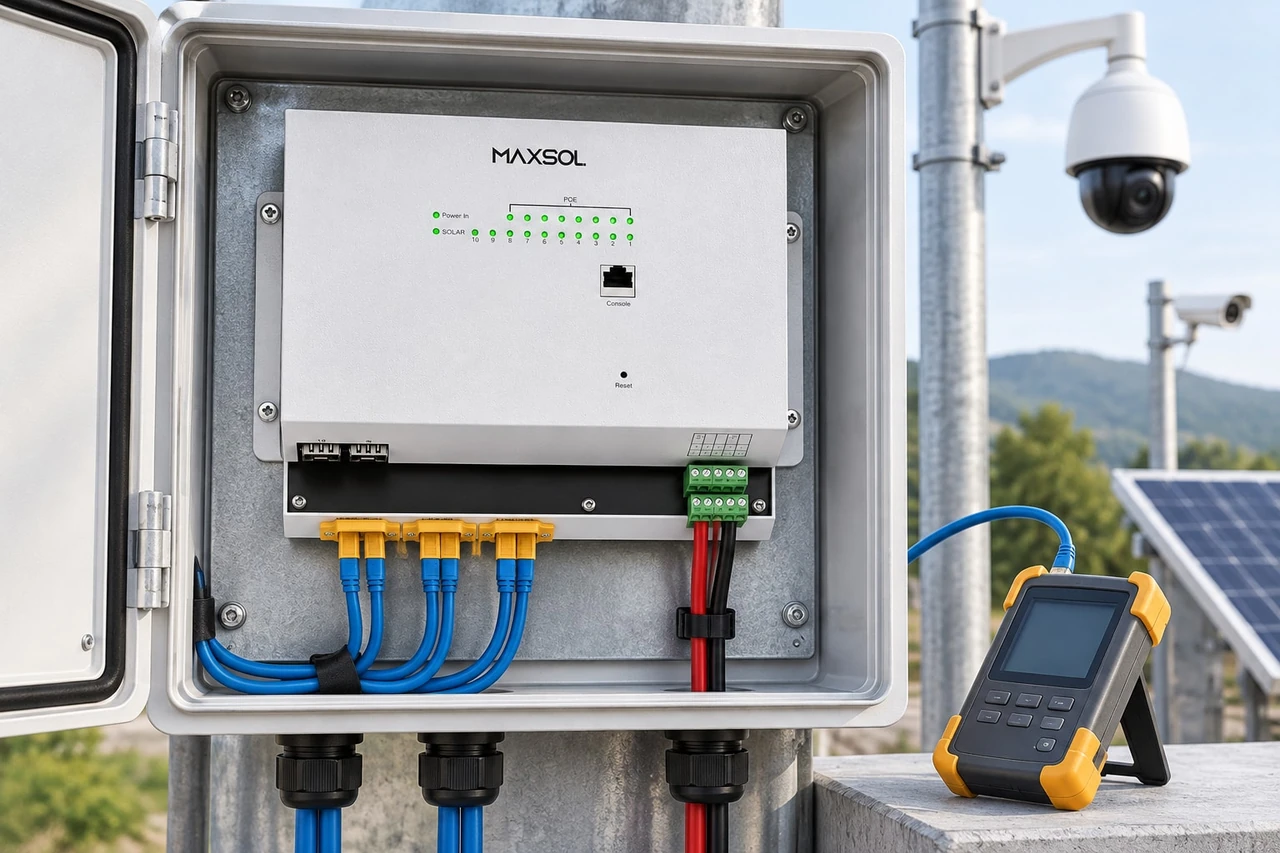
For example, the SBOX2802SFG-I managed industrial smart Ethernet box is documented with IP65 protection, eight Gigabit PoE ports, two Gigabit SFP slots, Layer 2 management, AC100–240V input and a built-in 240W DC55V UPS module. These facts can make it relevant to an integrated grid-fed design, but the installer must still confirm endpoint demand, battery or backup arrangements, cable entries, local protection and current product documentation.
The IOT2802SFG-S managed solar industrial PoE switch represents a different design layer. Its documented features include eight Gigabit PoE ports, two SFP ports, a 120W PoE budget, 90W BT support, PV and battery monitoring, and PV and battery input at DC22–29.2V. Ports 3–4 can be configured for 24V or 48V PoE. That configurability increases the importance of checking each powered device rather than assuming all ports should use the same setting.
These products illustrate alternative architectures. They are not presented as a tested compatible system.
For a broader review of cabinet, power, fibre and battery decisions, see the outdoor PoE switch box, power, fibre and battery guide.
Check per-port demand, total budget and voltage drop
A PoE switch can have enough ports but still lack enough usable power. Calculate both the maximum demand of each endpoint and the combined demand under the site’s highest-load condition.
Cameras may draw more power when infrared lighting, heaters, wipers, motors or other auxiliary functions activate. Wireless devices can also have startup or transmit-related peaks. Use the endpoint manufacturer’s maximum input requirement rather than relying only on a typical consumption figure.
Build a port-by-port load schedule
For each port, record:
- Device model and function
- Required input voltage or PoE method
- Maximum continuous power
- Startup or peak demand
- Cable length and type
- Expected voltage at the device
- Assigned switch port
- Priority during limited-power operation
- Result of the full-load test
Add the maximum simultaneous loads, then compare the result with the switch’s total documented PoE budget. Do not count a high per-port capability as additional total power. A switch may support a high-power device on one port while still being constrained by its aggregate budget.
Allow design margin for:
- Conversion losses
- Cable resistance
- Temperature-related derating where specified
- Night-time camera operation
- Device startup
- Future replacement with a higher-load model
- Battery discharge and low-input-voltage conditions
- Other loads sharing the same source
The size of that margin should follow the equipment data and project risk requirements rather than a universal percentage.
Calculate loss across the complete circuit
Voltage drop depends on load current and total loop resistance. As current rises, the voltage lost in the cable also rises. This matters especially in low-voltage DC systems because the same power at a lower voltage requires more current.
Use measured or manufacturer-provided conductor resistance, including the outward and return paths. Check:
- Source voltage at no load
- Source voltage at maximum load
- Voltage at the switch input
- Voltage at the remote device
- Connector and joint losses
- Current on each DC branch
- Behaviour at the lowest permitted battery voltage
A 12V, 24V or 48V label alone is not a complete design specification. Battery voltage changes with charge state and operating conditions, while converters may have different current limits across their input range. The 12V versus 24V versus 48V solar surveillance guide explains the system-level trade-offs in more detail.
The POE24V adjustable DC-to-PoE converter accepts DC12–36V and provides an adjustable DC12–57V PoE output, Gigabit Ethernet and an LCD voltage display. Its documented continuous load for 12V-to-48V conversion is no more than 30W. IEEE PoE negotiation is not established by the supplied converter facts, so installers must verify the powered device’s voltage, polarity, pinout and power method before connection.
Specify enclosure, thermal, moisture and surge controls
An outdoor rating does not remove the need to assess the installed enclosure as a complete system. Cable glands, vents, penetrations, mounting orientation and workmanship all affect environmental protection.
For New Zealand sites, the relevant exposure can vary considerably between sheltered commercial premises, coastal locations, rural properties and elevated wireless sites. Specify for the actual microclimate rather than a broad regional assumption.
Enclosure checklist
Confirm:
- Environmental rating of the assembled enclosure
- Compatible cable-gland sizes and sealing range
- UV exposure of cables, glands and external components
- Corrosion risks at fixings and material interfaces
- Drainage paths and drip loops
- Condensation control
- Internal clearances around power equipment
- Heat produced by switches, converters and batteries
- Solar heating at the mounting position
- Minimum and maximum equipment temperatures
- Battery temperature limitations
- Separation of mains, extra-low-voltage and data wiring
- Access for testing without disturbing weather seals
- Door bonding or earthing requirements where applicable
IP65, such as the documented rating for the SBOX2802SFG-I, describes a defined level of enclosure protection. It does not by itself confirm suitability for salt exposure, prolonged solar heating, condensation, flooding, incorrect glands or every installation orientation.
Coordinate surge and branch protection
Outdoor networks can introduce conductive paths between structures, poles, cameras, radios, solar frames and cabinets. Protection should be considered at each interface rather than added only at the main power input.
Review protection for:
- Incoming AC supply
- PV input
- Battery connection
- Individual DC branches
- Copper Ethernet entering or leaving the enclosure
- Long outdoor camera runs
- Antenna and radio connections
- Auxiliary outputs, alarms and control wiring
The protective device must suit the circuit voltage, expected current, earthing arrangement and equipment interface. A generic surge-protection label is not enough.
Give each significant source and branch suitable isolation and overcurrent protection. Batteries and PV sources can remain energised after the grid supply has been disconnected, so the enclosure should clearly identify every source. Follow applicable New Zealand electrical requirements and use appropriately qualified personnel for regulated electrical work.
Fibre uplinks can reduce the conductive data path between locations, but they do not remove surge exposure from power, local copper cabling, antennas or nearby structures.
Plan uplinks, monitoring and service isolation
Outdoor PoE power and network architecture should be designed together. A camera can remain powered while its uplink has failed, or the network can remain visible while selected PoE loads have shut down. Monitoring needs to distinguish these conditions.
Select and document the uplink
For each uplink, confirm:
- Copper or fibre medium
- Required distance and bandwidth
- SFP and fibre compatibility where applicable
- Connector and fibre type
- Network topology and redundancy
- VLAN and management requirements
- Surge implications of copper cabling
- Power requirements at both ends
- Spare port and fibre allocation
- Labelling at each termination
SFP slots provide an uplink interface, but an SFP slot alone does not establish compatibility with every module, fibre type or remote device. Confirm the current compatibility information for the switch, transceiver and link design.
Decide what needs remote monitoring
Useful monitoring points may include:
- Switch and uplink status
- Port link state
- PoE output status
- Per-port or total power information, if supported
- PV input
- Battery voltage
- Cabinet temperature
- Door or tamper alarm
- Loss of primary supply
- Low-voltage shutdown
- Restart or recovery events
Monitoring data should answer operational questions, not simply generate alarms. Define who receives an alert, what threshold triggers it, how long the condition must persist and what action is expected.
Make safe service isolation obvious
A technician should be able to identify and isolate a faulty branch without shutting down unrelated cameras or communications equipment. Provide:
- Clearly labelled source isolators
- Individual branch identification
- Port-to-device schedules
- Battery and PV warning labels
- Test points where appropriate
- Lock-out provisions required by the site procedure
- Enough working space to disconnect equipment safely
- A documented power-down and restart sequence
Avoid hidden backfeed paths through converters, shared supplies or auxiliary equipment. If disconnecting one source does not fully de-energise the cabinet, state that clearly in the documentation.
Bench-test startup, faults and recovery
Bench testing should reproduce the electrical and network states the installation is likely to encounter. A successful power-on at room temperature with one camera connected is not a commissioning test.
Use the intended switch, converters, representative cable lengths, powered devices, uplink equipment and configuration. Where the final cable cannot be included, account for its expected resistance and verify the result again on site.
Recommended test sequence
- Verify wiring before energising. Check polarity, pinout, earth or bonding connections, fuse ratings, port assignments and converter settings.
- Start with no PoE loads. Confirm supply voltage, switch startup, management access and uplink operation.
- Connect one endpoint at a time. Record port behaviour, device startup and input voltage.
- Apply the maximum simultaneous load. Include high-demand operating modes where they can be activated safely.
- Measure voltage under load. Test at the source, switch input and remote endpoint.
- Interrupt the primary source. Confirm the intended UPS or battery behaviour without assuming runtime.
- Restore the source. Check whether charging, conversion, PoE and data recover automatically.
- Test low-input behaviour safely. Use suitable test equipment and remain within documented limits.
- Interrupt the uplink. Confirm logging, alarm delivery and restoration.
- Restart individual branches. Verify that service isolation does not disturb unrelated loads.
- Power-cycle the full system. Ensure devices return in the correct order and retain their required configuration.
- Review logs and alarms. Confirm timestamps, event descriptions and notification paths.
Do not use destructive fault simulation or exceed a product’s documented input range. Where brownout, short-circuit or surge behaviour cannot be tested safely, verify the protection design and manufacturer documentation instead.
Common faults found during this stage include:
- Incorrect passive PoE voltage
- Reversed DC polarity
- Enough no-load voltage but excessive loaded voltage drop
- A total PoE demand above the available budget
- Startup sequencing problems
- Converter current limitation
- Incorrect SFP or fibre pairing
- Loss of configuration after a full power cycle
- Backup power that supports the switch but not every attached load
- Monitoring that fails when the primary uplink is unavailable
Record commissioning evidence for handover
A complete handover package lets another technician understand, isolate and restore the system without reconstructing the original design.
Include the following evidence:
- Final single-line power and data diagram
- Equipment schedule with model and serial references
- Current datasheets and configuration records
- Port-to-device map
- Source, converter and output-voltage settings
- Maximum measured load
- Loaded voltage readings
- Cable types, routes and approximate lengths
- Protection-device schedule
- Earthing and bonding details
- Enclosure and gland inspection results
- SFP, fibre and uplink details
- Network addresses and management method
- Monitoring and alarm configuration
- Photographs of internal layout and cable entries
- Test results for primary power loss and restoration
- Backup-source test result, where applicable
- Isolation and restart procedure
- Known limitations and items excluded from the project
Record the actual settings rather than noting that equipment was left at “default”. Adjustable PoE voltage, switch configuration, alarm thresholds and converter output are critical maintenance information.
A strong commissioning record also identifies assumptions. If runtime depends on battery condition, or a port’s power mode depends on a specific endpoint, state that explicitly.
Final selection checklist
Before approving an outdoor PoE design, confirm that:
- Every input and output voltage range overlaps correctly
- Polarity and pinout are documented
- PoE negotiation or passive power behaviour is established
- Each endpoint fits its port capability
- The combined load fits the total PoE budget
- Cable loss is acceptable at maximum current
- PV and battery calculations include conversion and load losses
- Each source and branch has suitable protection and isolation
- The enclosure suits the installed environment
- Thermal and condensation risks have been addressed
- Earthing, bonding and surge protection form a coordinated design
- Uplinks and SFP components are compatible
- Monitoring covers meaningful power and network failures
- Startup, shutdown and automatic recovery have been tested
- Settings, measurements and limitations are included in the handover
The practical next step is to compare the linked Maxsol models against the project’s port count, endpoint load, cable distance, source voltage, environmental exposure and management needs. Before installation, verify current datasheets and confirm voltage, polarity, pinout, PoE protocol, protection and interface compatibility for every connected component.